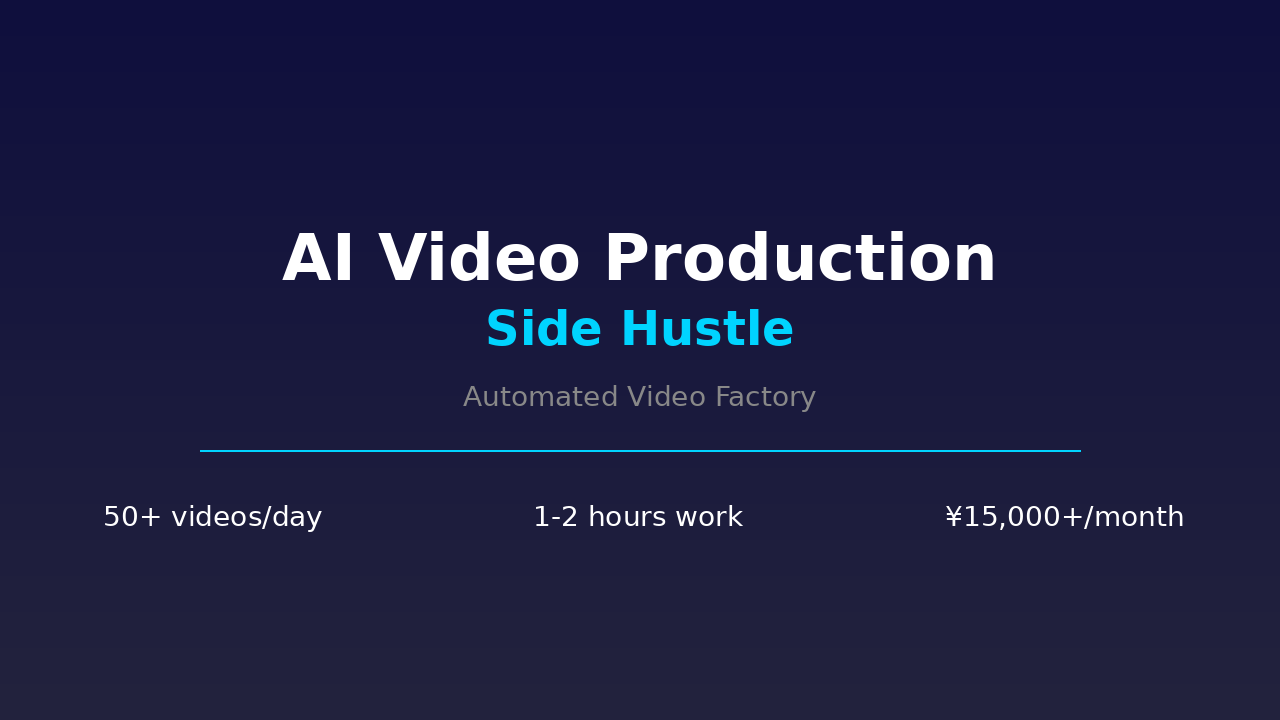
AI Automated Video Production: One Production Line, Ten Accounts, $2,000+/Month
In 2026, the short video market may seem saturated, but the real opportunity lies in industrializing video production with AI.
A typical short video creator produces 2-3 quality videos per day. But with an AI-powered automated production line, one person can run 10-20 accounts, producing 50+ videos daily, while working only 2-3 hours.
This is the core value of AI automated video production: using AI efficiency to multiply your output by 10x.
I used this method to achieve $2,500-3,500/month in the first half of 2026, serving 5 brand clients with custom content while operating 3 self-built accounts across Douyin, Xiaohongshu, and YouTube Shorts.
This article fully breaks down this side hustle: from tech stack selection and workflow design to pricing strategies and client acquisition.
Why “Automated Video Production” Instead of “AI Video Creation”?
Many people already know how to use Runway, Kling, or Sora for AI video — but that’s just one环节 of content production. The real side hustle opportunity is full-chain automation:
| Traditional Video Creator | AI Automated Video Production |
|---|---|
| Produces 1-3 videos/day | Produces 50+ videos/day |
| Manual editing 2-4 hours/day | Automated pipeline, you just review |
| 1 account, 3 months to grow | 10 accounts, 2 weeks to gain traction |
| Manual topic research, script writing | AI auto-topics + batch generation |
| Cost per video: $7-28 | Cost per video: $0.30-0.70 |
| Monthly income ceiling: $700-1,400 | Monthly income: $2,000-7,000 |
The core difference: You’re not “making videos” — you’re “building a production line.”
Tech Stack: Your Automated Video Factory
Core Tool Chain
| 环节 | Tool | Cost | Purpose |
|---|---|---|---|
| Topic Mining | Hermes Agent + Trending APIs | Free | Auto-fetch trending topics |
| Script Generation | Claude / ChatGPT API | $15-40/month | Batch generate video scripts |
| Voice Synthesis | ElevenLabs / CapCut | $7-28/month | AI voiceover, multi-language |
| Video Generation | Runway Gen-3 / Kling / Pika | $28-70/month | AI-generated video clips |
| Editing | CapCut Batch Templates | Free | Template-based editing |
| Scheduling | Yihaoer / Meidao | Free-$42/month | Multi-platform publishing |
| Analytics | Platform dashboards + Feigua | Free-$70/month | Performance tracking |
Total monthly cost: $85-210 (varies by tool selection)
Advanced Tools (Consider after $2,000/month)
| Tool | Purpose | Cost |
|---|---|---|
| Dify / Coze | Build AI Agent workflows | Free-$28/month |
| Make / Zapier | Connect tools automatically | Free-$28/month |
| Notion + AI | Content library management | Free-$14/month |
| Custom Python Scripts | Tailored automation | $0 (your time) |
Three Monetization Models: From Easy to Advanced
Model 1: Self-Built Account Matrix (Passive Income)
Best for: Patient creators seeking passive income
Workflow:
- Use AI to generate 50-100 topic ideas (covering different niches)
- Batch produce video scripts + voiceover + clips
- Quick edit using templates, produce 50+ videos
- Publish across multiple accounts, test which direction performs best
- Double down on winning directions, drop underperformers
Revenue sources:
- Platform creator programs (Douyin Mid-Video Program, YouTube Partner)
- Brand sponsorships (after reaching 10k+ followers) | Affiliate commissions (Xiaohongshu product recommendations, Douyin storefront)
Real case:
- Account A (Education): 50k followers, $700/month ads
- Account B (Lifestyle): 30k followers, $400/month affiliate
- Account C (Relaxation): 80k followers, $280/month creator program
- Total: $1,380/month
Time investment: 3-4 hours/day initially (building the pipeline), 1-2 hours/day when stable
Model 2: B2B Custom Video Services (Active Income)
Best for: Those with business development skills
Target clients:
- E-commerce sellers: Product showcase videos, live stream highlights
- Education/training: Course promo videos, knowledge point shorts
- Local businesses: Store exploration videos, event promotion
- SaaS companies: Product demos, user case studies
Pricing strategy:
| Package | Content | Price | Delivery |
|---|---|---|---|
| Trial | 3 videos | $140 | 3 days |
| Standard | 10 videos | $420 | 7 days |
| Monthly | 40 videos/month | $1,100-2,100 | Ongoing |
| Custom project | As needed | $700-2,800 | 1-2 weeks |
Revenue projection:
- 3 monthly clients × $1,100 = $3,300
- 2 custom projects × $700 = $1,400
- Monthly income: $4,700
Time investment: 15-25 hours/week (including communication, review, revisions)
Model 3: Video Templates/SaaS Products (Scalable Income)
Best for: Those with technical skills seeking long-term value
Direction 1: Template Sales
- Create 50-100 CapCut/剪映 templates
- Sell on Taobao, Xianyu, Gumroad
- Pricing: $1.4-14/template
- Monthly income: $280-1,400 (passive)
Direction 2: Video Production SaaS
- Productize the automation workflow | Subscription: $14-70/month | Target: Individual creators, small studios | Monthly income: $700-4,200 (depends on user count)
Step-by-Step: From Zero to Your First Automated Video
Step 1: Build Topic Mining System (Day 1-2)
Use Hermes Agent or Python scripts to auto-fetch trending topics:
# Pseudocode example
import requests

def get_trending_topics(platform="douyin"):
    """Fetch trending topics from APIs"""
    if platform == "douyin":
        url = "https://api.douyin.com/hot/list"
    elif platform == "xiaohongshu":
        url = "https://api.xiaohongshu.com/trending"

    response = requests.get(url)
    return response.json()['data']['topics'][:20]

def generate_video_ideas(topics, niche="tech"):
    """Generate video topics using AI"""
    prompt = f"""
    Generate 20 short video topics for these trending topics:
    {topics}

    Niche: {niche}
    Requirements:
    1. Each topic should have conflict or curiosity
    2. Suitable for 30-60 second videos
    3. Include title, core point, audience pain point
    """
    return claude.generate(prompt)
Output example:
- “AI writes code 10x faster than programmers? The truth is…”
- “What’s the difference between programmers earning $3k and $30k?”
- “These 5 programming skills are most valuable in 2026”
Step 2: Batch Generate Video Scripts (Day 3-4)
Use Claude/ChatGPT to batch generate scripts, 20-50 at a time:
You are a short video script expert. Generate 30-second video scripts for these topics:

[Topic]: AI writes code 10x faster than programmers? The truth is...
[Target audience]: Programmers, tech enthusiasts
[Style]: Sharp, contrasting, discussion-triggering
[Structure]:
- 0-3s: Hook (counterintuitive statement)
- 3-15s: Core argument explanation
- 15-25s: Data/case support
- 25-30s: Call to action

Output the complete script directly, no explanation needed.
Output example:
[0-3s] You think AI writes code 10x faster than you? Wrong.

[3-15s] AI can indeed generate code quickly, but 90% of code needs manual debugging. What's truly valuable is: understanding requirements, designing architecture, solving complex problems — AI still can't do these.

[15-25s] Data shows programmers using AI see 30-50% efficiency gains, but those who only write CRUD code get eliminated.

[25-30s] Your core competitiveness isn't how fast you write code, but what code you write. Follow me — next episode covers the 5 most valuable programming skills in 2026.
Step 3: AI Voiceover + Clip Generation (Day 5)
Voiceover:
Use ElevenLabs or CapCut, select a voice suitable for "tech commentary":
- Chinese: Recommend "Tech Commentary Male" or "Deep Thinking Male"
- English: Recommend "Adam" or "Antoni"
- Speed: 1.1x (slightly faster, matches short video pace)
Video clips:
- AI-generated: Use Runway/Kling to create 5-10 second AI video clips (for openings, transitions)
- Stock library: Prepare 100+ free clips (Pexels, Pixabay), categorized by theme
- Screen recording: Use OBS to record code demos, software operations
Step 4: Template-Based Editing (Day 6-7)
Create 3-5 universal templates in CapCut:
Template structure:
[0-3s] Opening: AI-generated visual impact + large text title
[3-15s] Body: Voiceover + subtitles +穿插 clips
[15-25s] Case: Screen recording/data charts
[25-30s] Closing: Follow prompt + next episode preview
Template variables:
- Background video (replaceable)
- Subtitle style (adjustable)
- Background music (switchable)
- Brand logo (addable)
Step 5: Batch Generate + Review (Day 8-10)
- Use Python scripts to batch call APIs and generate 50 videos
- Manual quick review (1-2 minutes per video)
- One-click distribute to multiple platforms via Yihaoer/Meidao
- Schedule publishing (10 videos each at 8am, 12pm, 6pm, 10pm daily)
Time investment:
- Generation: 30 minutes (fully automated)
- Review: 1-2 hours | Publishing: 10 minutes (one-click) | Total: 1.5-2 hours/day
Revenue Expectations & Growth Path
Phase 1: Startup (Months 1-3)
- Goal: Build production line, test 5-10 accounts
- Income: $0-400 (mostly from platform programs)
- Focus: Find winning directions, accumulate templates and clip library
Phase 2: Growth (Months 4-6)
- Goal: Stable 5-10 accounts, start B2B orders
- Income: $700-2,100
- Focus: Build client reputation, optimize automation workflow
Phase 3: Scale (Months 7-12)
- Goal: $2,000-7,000/month
- Revenue sources:
- Self-built account matrix: $1,400-2,800
- B2B custom services: $700-2,100
- Templates/SaaS products: $280-1,400
- Focus: Consider team building, outsource repetitive work
Key Metrics
| Metric | Healthy | Excellent |
|---|---|---|
| Daily video output | 20-30 | 50-100 |
| Cost per video | $0.70-1.40 | $0.30-0.70 |
| Total account followers | 50k+ | 200k+ |
| Monthly content spend | $70-140 | $140-280 |
| Client repeat rate | 30%+ | 60%+ |
Common Pitfalls & How to Avoid Them
❌ Pitfall 1: Perfectionism over speed
Wrong: Spending 2-3 hours on each video Right: Rapidly produce first 100 videos, let data speak, then refine winning directions
❌ Pitfall 2: Only using one platform
Wrong: Only operating Douyin, satisfied at 10k followers Right: Multi-platform distribution, adapt same content to different platform styles
❌ Pitfall 3: Ignoring copyright risks
Wrong: Using AI-generated clips without considering licensing Right:
- Use platforms with commercial licenses (Runway Pro, Pika)
- Choose CC0-licensed clip libraries (Pexels, Pixabay)
- Label AI-generated content as “AI-generated” to avoid misleading
❌ Pitfall 4: No clip library, searching from scratch every time
Wrong: Finding clips manually for each video Right: Build categorized clip library with tags by theme/mood/scene
✅ Best Practices
- Build the pipeline first, optimize quality later: Focus on automation for the first 10 days
- Let data drive decisions: Double down on what performs well
- Find unique positioning: Don’t be “another AI video account” — have a distinct angle
- Build moats: Accumulate exclusive clips, templates, topic libraries
- Weekly review and optimization: Analyze data weekly, adjust strategies
Advanced: From Automation to Intelligence
Once your basic pipeline is running, consider these upgrade paths:
Upgrade 1: AI Agent Fully Automated Operation
Use Dify/Coze to build an AI Agent that:
- Auto-topic research → auto script generation → auto voiceover → auto editing → auto publishing
- You only set rules and review key checkpoints
- Time investment: 30 minutes/day
Upgrade 2: Vertical Niche Deep Services
Move from general content to vertical domains:
- Legal: AI-generated legal education videos, serve law firms
- Healthcare: AI-generated health科普 videos, serve medical institutions
- Education: AI-generated knowledge point videos, serve training institutions
Vertical domain pricing is much higher than general content ($700-2,800 per project vs $70-280 per project)
Upgrade 3: Video Production SaaS
Productize the automation workflow:
- User inputs topic, AI generates complete video
- Pay-per-use: $0.07-0.28 per video | Target: Individual creators, small studios | Monthly income potential: $1,400-14,000
Summary
| Dimension | Assessment |
|---|---|
| Startup cost | $85-210/month (tool subscriptions) |
| Learning curve | 7-14 days (build production line) |
| Monthly income range | $700-7,000 |
| Time investment | 3-4 hours/day initially, 1-2 hours/day when stable |
| Skills required | AI tools + basic editing + data analysis |
| Repeat rate | High (content requires continuous production) |
| Ceiling | High (can scale to SaaS or team) |
One-sentence summary: AI automated video production is a low-cost, high-efficiency, scalable side hustle. Its core isn’t “making videos” — it’s “building a production line.” Once the system runs, your income isn’t limited by your time.
If you persist for 3 months, $1,400+/month is very realistic. The key is to start动手, validate with data, then optimize gradually.
📌 Want the complete AI video production Prompt template pack and CapCut template files? Follow “AI Side Hustle Toolkit” on WeChat, reply “Automated Video” to get the exclusive 《2026 AI Video Production Prompt Bible》 and 《CapCut Batch Template Library》.
Found this article useful? Share it with a friend — they might be looking for a low-barrier AI side hustle. See you next time! 🚀